




While the result of all engineering work is the final object (or structure) being built, what really comes out of an engineering office are documents: Calculation Reports, Drawings and Specifications.
Good documents mark our professionality. VIS will help with Reports and Drawings.
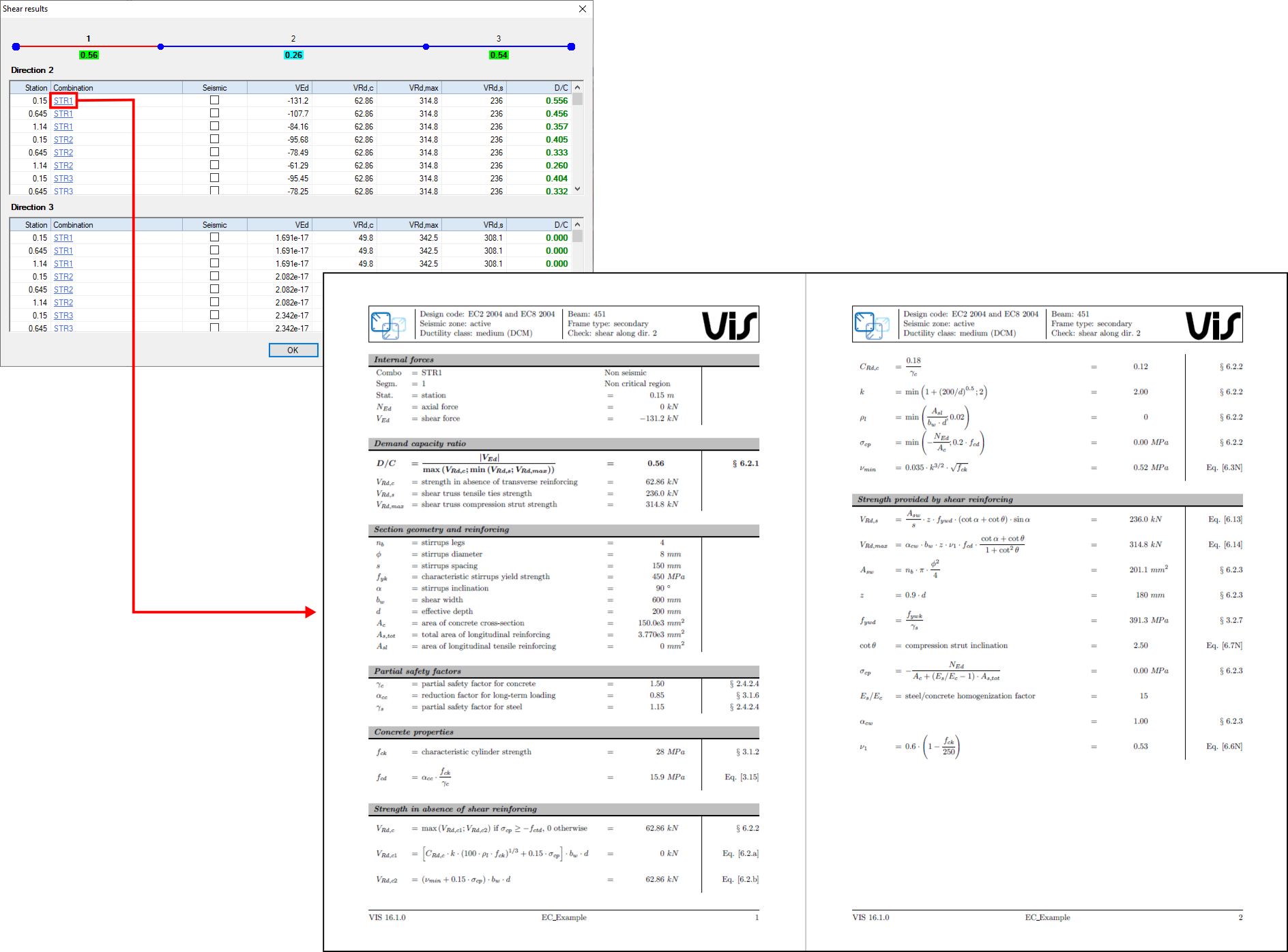
Calculation Reports are a fundamental tool for keeping track of what was done. They can also be used later for reviews and evaluation of our work.
Calculation Reports are very personal. You have a million ways of creating one using VIS. We suggest you assemble the various output items in a manner that is special to you and explains your design precisely.
There are many of these single bits of design output at your disposal. Here are some:
3D pictures of the overall structure or of its parts. 3D pictures can be wireframe or extruded. A few pictures with member labels will be of great help.
All sorts of diagrams, explaining your calculations. PMM interaction, either 2D or 3D; wall forces, as from analysis or amplified for capacity; ellipses of inertia; and so on.
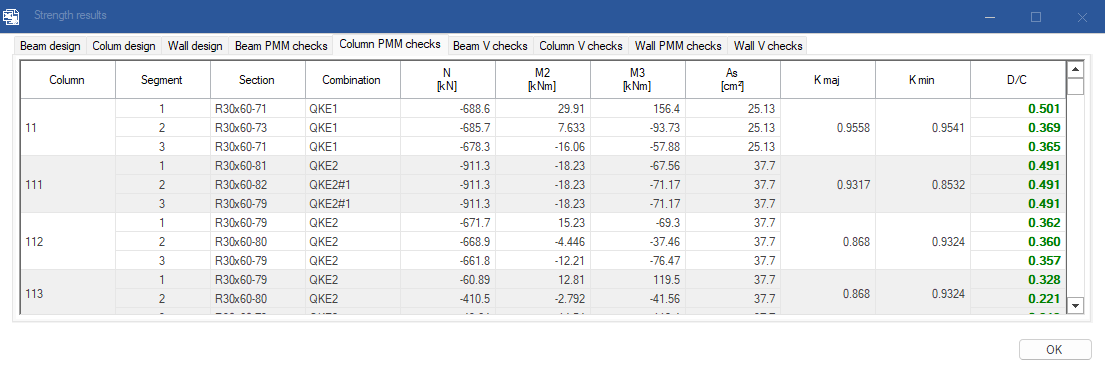
Beautiful spreadsheets with Tables of Results. They are grouped for type of member and type of design.
Color coded pictures of the structure, showing usage ratios for each member, as resulting from your calculations.
Drawings and sketches of section and elevation reinforcing.
All these outputs can be readily exported to a Word or Excel file and form your report. Just compile them as you like and add comments.
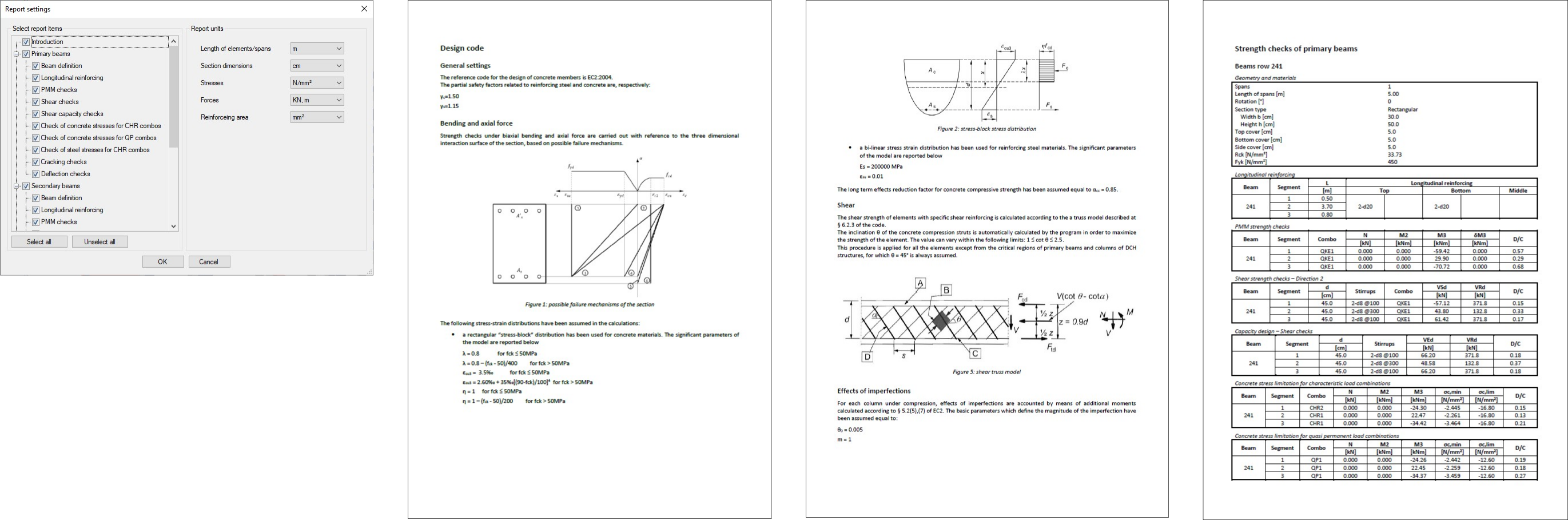
For those of you too lazy to do that, there is an option for the automatic report generation. Just select the elements you want to be included, choose the units, and click here. This report will necessarily be rather basic, but, again, you can improve it by adding pictures, diagrams, and comments.
Let us talk now about drawings. Here the approach is different, in that VIS does not generate complete project drawings.
There is, however, a mess of information, graphical and numerical, that VIS will generate and can be incorporated into these drawings. Sketches of all reinforcing can be exported in the DXF or DWG formats. These sketches can refer to a single member or to groups of members arranged in rows.
Numerical information on length and size of all rebars can also be exported.
Starting from here, a draft person can easily build the final drawings, integrating the new material into the larger project picture. At the same time, he will be able to retain control of drafting approach and format.
If you would like to know more about VIS
Contact us on info@vis-concretedesign.com, or see our youtube channel.